Delete your Egg Crusher data
Egg Crusher doesn't ask for your name or e-mail. Our server knows your game only by a random player ID. You can delete everything it keeps about you at any time.
From the game (the fastest way)
- Open Settings: the ☰ button at the top right of the menu or of the map.
- Tap PRIVACY AND YOUR DATA.
- Tap DELETE MY DATA and confirm.
It needs an internet connection, and it happens at once. (These are the names in the game in English; in another language they are in that language.)
Find your player ID
Your player ID is how we find your data, since we don't know who you are. It is 8 letters and numbers, and the game shows it in the same place:
-
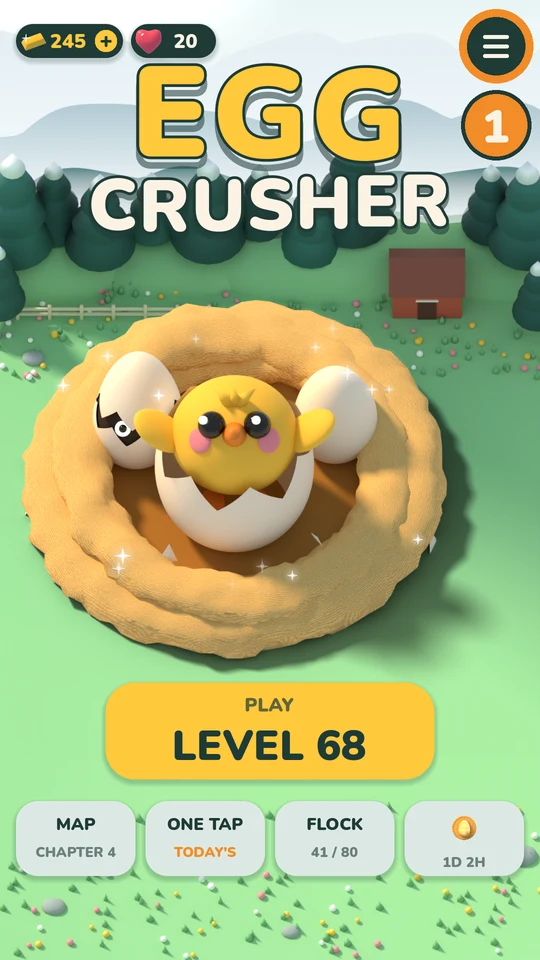
1. On the menu, tap the ☰ button at the top right -
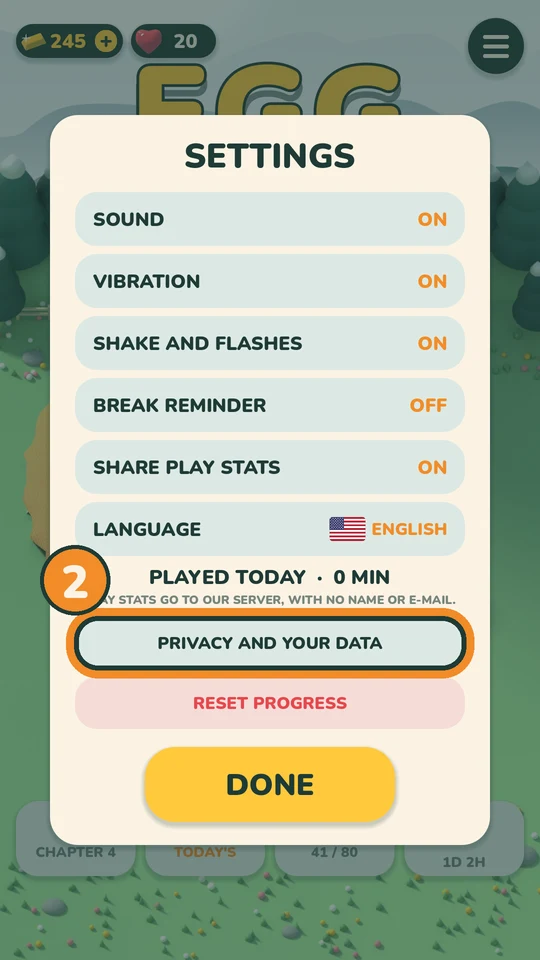
2. In Settings, tap PRIVACY AND YOUR DATA -
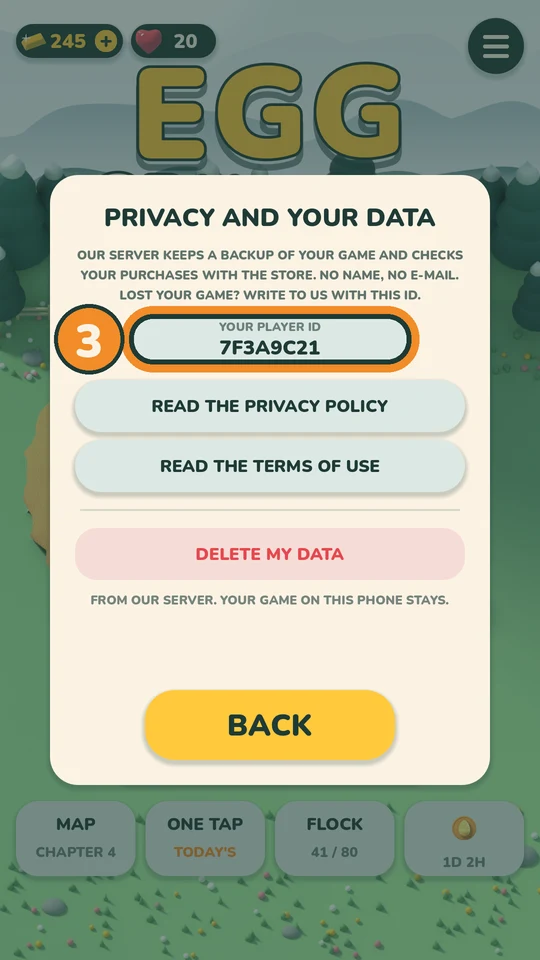
3. Your player ID is in the box at the top (the one in the picture is an example)
What is deleted
- The copy of your game on our server.
- Your play stats.
- Your weekly league: your name there, your groups, your stars and your results.
- Your player ID.
What stays
- Your game on your phone. It is only on the phone, and uninstalling the game deletes it.
- Records of your purchases, for 5 years after each purchase, as accounting and tax laws require. They are no longer linked to your player ID.
- After you delete, the game carries on with a new player ID and keeps a new copy of your game from then on, so purchases can still be checked. Play stats stay off unless you turn them on again.
- Ad data collected by Google is kept by Google. You can reset or delete your advertising ID in your phone's settings; see the Privacy Policy.
By e-mail
If you no longer have the game, or the button doesn't work for you:
- Find your player ID (see above).
- Write to support@longstickstudios.com with the subject "Delete my data" and your player ID in the message.
We delete it within 15 days and write back when it's done. If you no longer have the game and don't know your ID, write anyway and tell us roughly when you played: we will do what we can, but without the ID we may not be able to find your data.
If you just uninstall
Uninstalling removes the game and its data from your phone. Our copy is deleted after 2 years without contact, or at once if you use DELETE MY DATA first.